Mobile UX iOS Figma Jan – Mar 2026

LastCleaned — Household Chore Tracker

A mobile app that helps people track when they last cleaned household items — reducing cognitive load and building healthier habits through awareness, not pressure.

0Usability failures fixed
0Test participants
0Figma prototypes
0Project
Mobile UX
LastCleaned cover

People don't forget to clean. They forget when.

Most people know their home needs cleaning. The problem is they can't remember if they cleaned the shower head last week or last month. This uncertainty leads to either over-cleaning or neglecting tasks long past the point of being hygienic.

Existing apps like Tody and Sweepy treat this as a productivity problem — strict schedules, streak tracking, performance metrics. For people dealing with mental fatigue, that creates pressure instead of relief.

01

Chores become cognitively invisible

Routine tasks fade into the background during busy periods — even when hygiene is at stake.

02

"I know I cleaned this recently..."

People remember completing a task but can't recall when. That uncertainty delays action further.

03

Productivity apps feel like pressure

Streak systems and rigid schedules add guilt when tasks are missed — the opposite of helpful.

04

No quick hygiene status check

Users want to scan their space and know what needs attention — without reading details for every task.

Starting on paper.

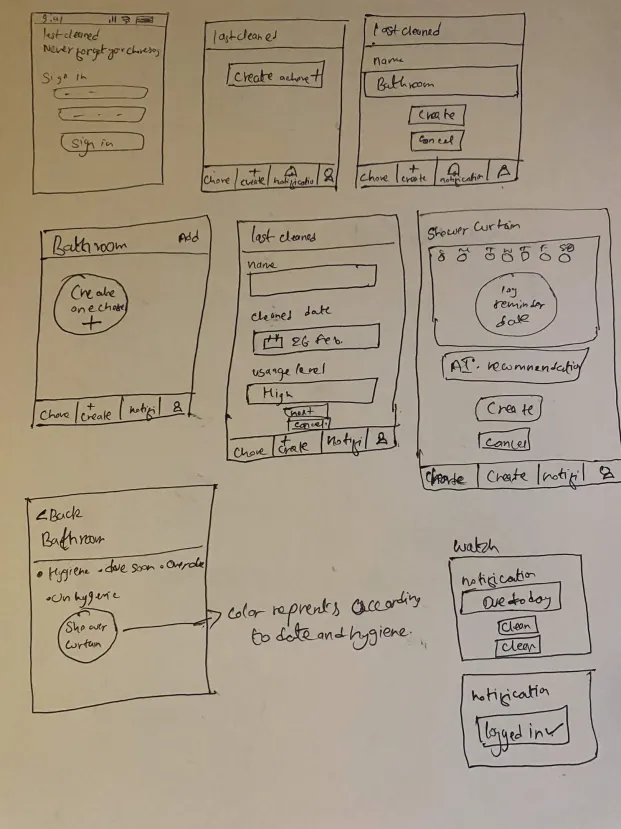
Paper sketches explored the core structure before any visual decisions were made. Several ideas that survived all the way to the final design emerged here — the bottom nav with four tabs, the color-coded hygiene circles, and the Apple Watch quick-log notification with a single "Clean" tap.

Low-fidelity paper sketches

Awareness over accountability.

The central insight: users don't need a task manager — they need a memory extension. The design focuses on making cleaning history visible, not enforcing schedules or measuring performance.

01

Room-based organization

Chores organized by room because that's how people naturally think about their living space. You think "bathroom," not "clean the mirror."

02

Color-coded hygiene indicators

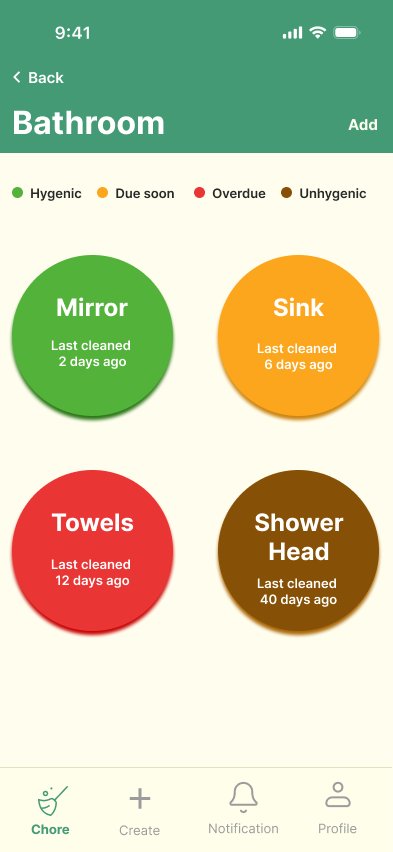
Four status colors let users scan a whole room in seconds. Green = hygienic, orange = due soon, red = overdue, brown = unhygienic.

03

Reminders 2 days before due

Testing showed reminders on the due date felt like nagging. Earlier reminders give users time to plan — supportive instead of stressful.

04

AI cleaning recommendations

Users who don't know cleaning frequencies get contextual tips during chore creation — guidance without judgment.

05

Apple Watch quick-log

Single-tap logging from a watch notification. Designed from the first sketch and carried through to both prototypes.

06

History tracking, not schedules

The app stores the last cleaned date and calculates status automatically. No setup, no rigid routine to feel guilty about missing.

Final prototype screens.

The final design covers the complete user flow: splash screen, empty state onboarding, room navigation, color-coded chore view, chore detail with status, and chore creation with AI recommendations.

Splash screen

Splash screen

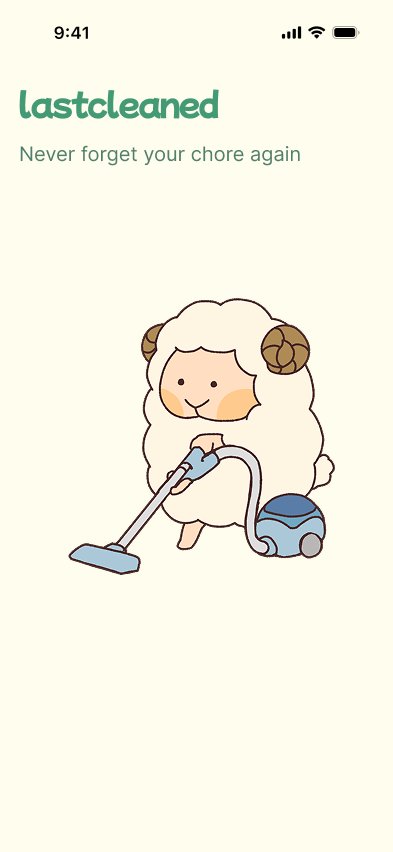
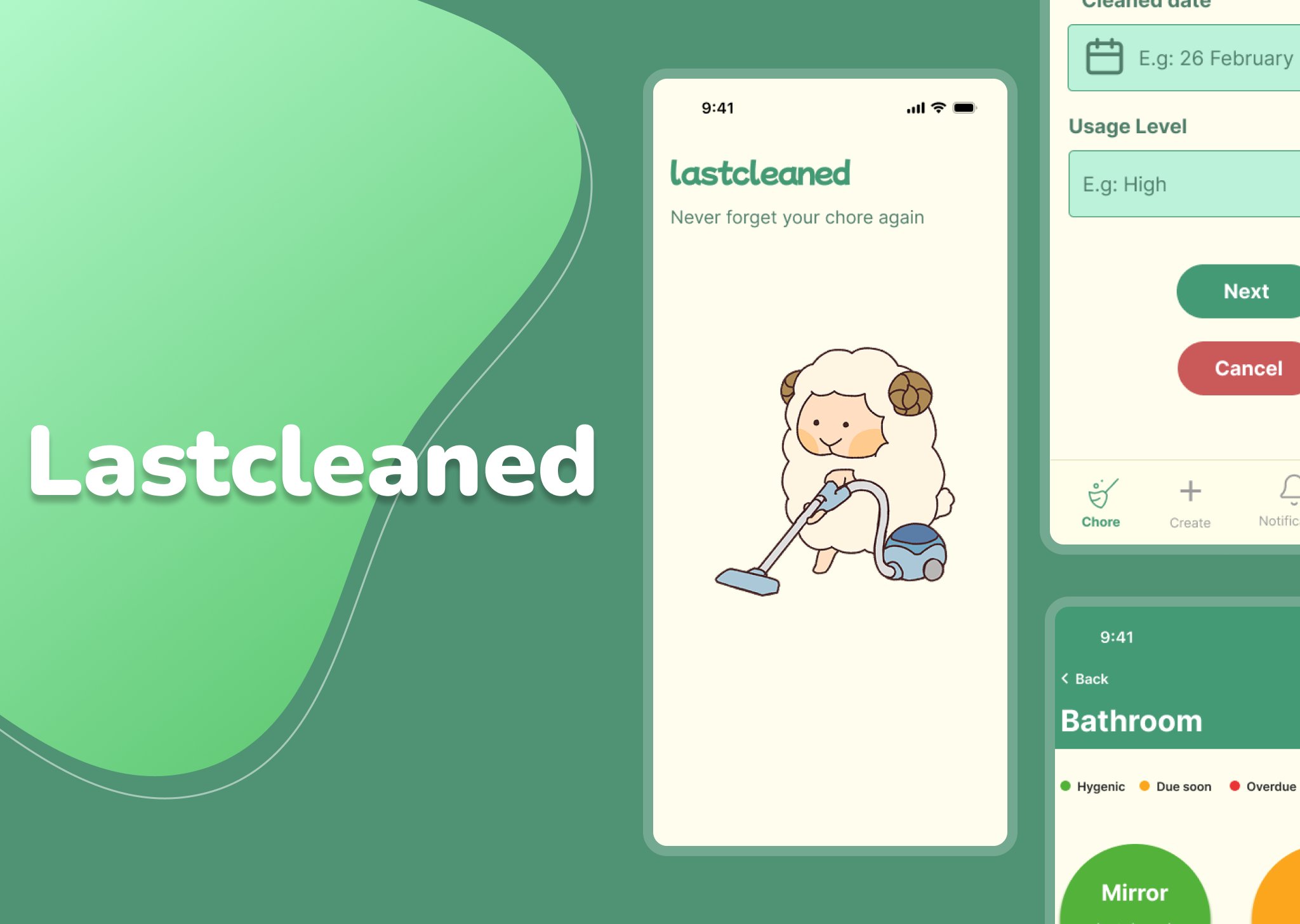
"Never forget your chore again" — the sheep mascot sets a friendly, low-pressure tone before the user ever sees a task. Deliberately avoids the productivity-app aesthetic that makes users feel anxious about their chore list.

Empty state, room list, bathroom view

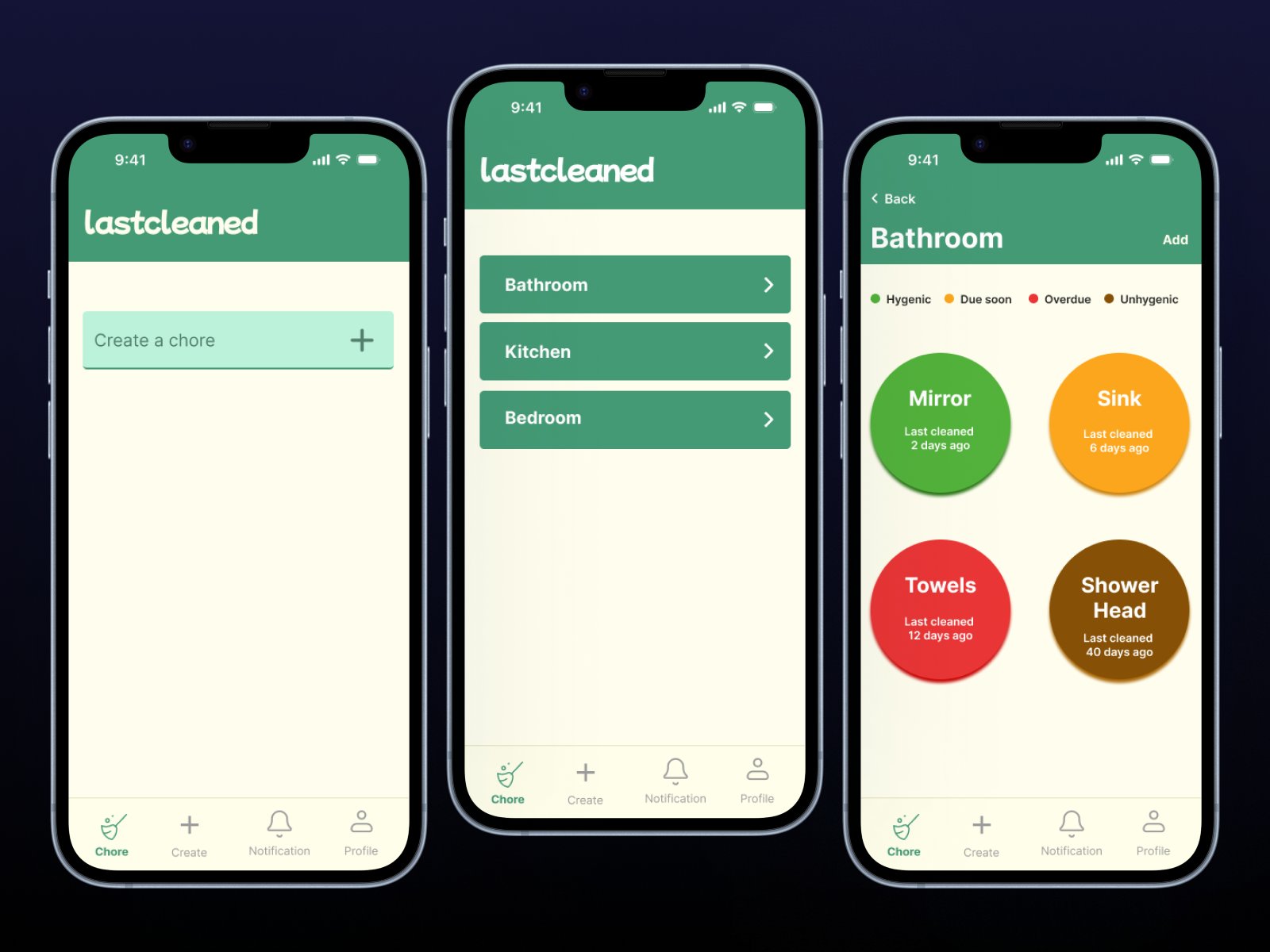
Left: Empty state with "Create a chore +" prompt — eliminates the blank screen confusion from testing. Center: Room list with iOS-native full-width cards. Right: Bathroom view with color-coded circles and the legend directly above.

Chore creation, log reminder, due status

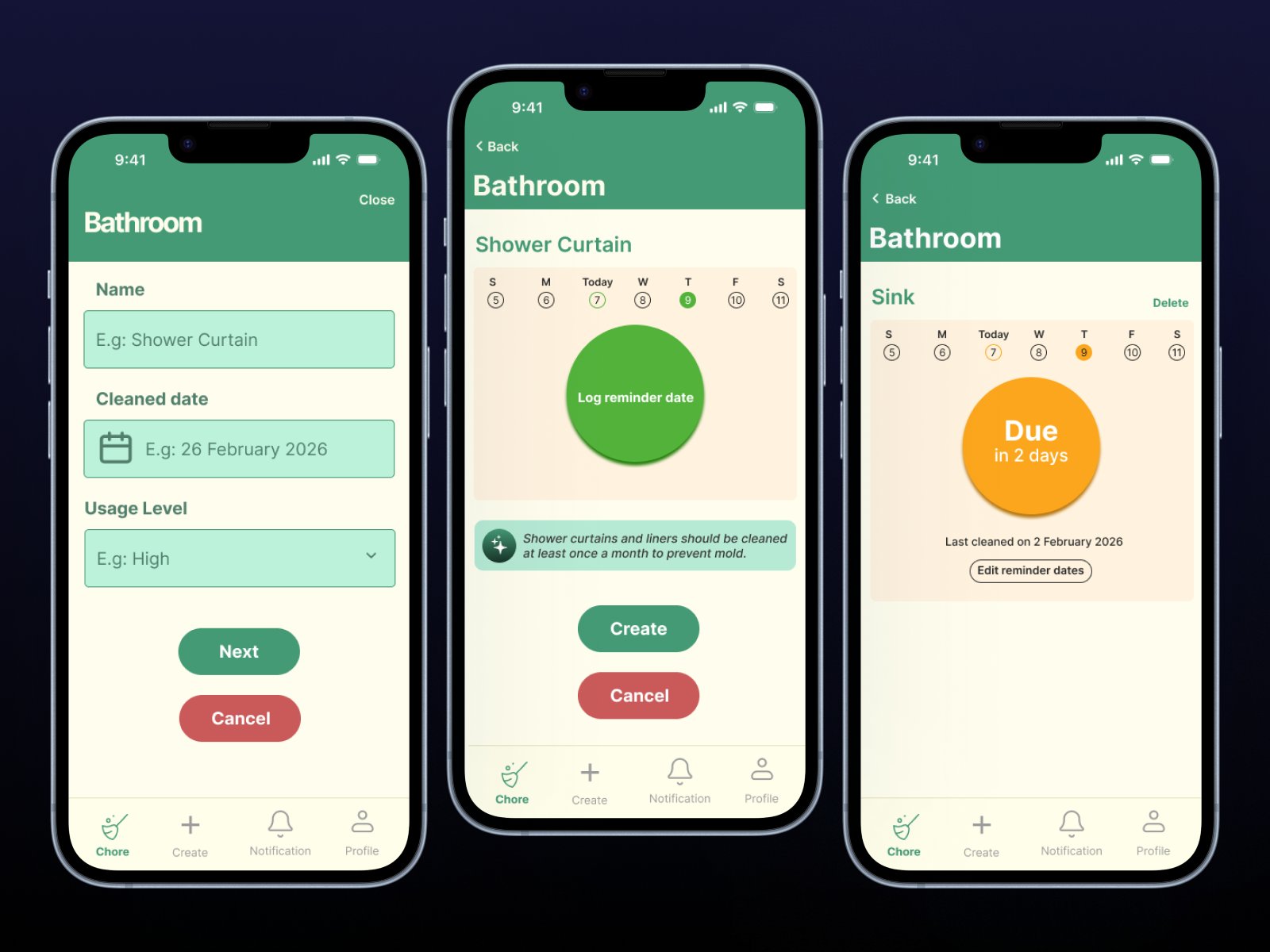
Left: Chore creation form. Center: Log reminder date with AI tip ("shower curtains should be cleaned monthly to prevent mold"). Right: "Due in 2 days" — the proactive reminder in action.

The color system

The most distinctive design decision. Early testing revealed a critical failure — users couldn't distinguish orange from red, and one participant thought brown meant "very clean." A legend placed directly above chore items fixed this without requiring a tutorial.

Hygienic
Cleaned recently
Due Soon
Needs attention
Overdue
Past cleaning date
Unhygienic
Long overdue
Color code system in action

Explore the interactive prototype

Two prototypes — mobile app flow and Apple Watch quick-log.
3 failures found. 3 fixes made.

Testing with 10+ participants surfaced three specific, fixable usability failures. Each had a clear cause and a direct design response.

ProblemReminders sent on the due date felt stressful — participants described it as "a to-do list yelling at you."

Reminders now send 2 days before due date

Shifting from reactive to proactive transformed the emotional tone. Users felt supported rather than pressured.

ProblemNew users opened the app to a blank screen with no rooms or chores — disorienting, no clear starting point.

Empty state now shows "Create a chore +" prompt

A visible, tappable prompt replaced the blank screen. Users immediately understood what to do.

ProblemColor circles had no explanation. Users couldn't distinguish orange vs. red, and one participant thought brown meant "very clean."

Color legend added directly above chore items

The legend sits at the top of every room view — always visible when needed, no tutorial required.

WCAG 2.1 evaluation.

The prototype was evaluated against selected WCAG 2.1 principles — including the gaps, not just the strengths.

Pass — WCAG 1.3.1

Clear visual hierarchy

Consistent layout, spacing, and headings across all screens.

Pass — WCAG 2.5.5

Large touch targets

Color circles, room list items, and buttons all exceed the 44×44px minimum.

Pass — WCAG 3.2.3

Consistent navigation

Bottom nav appears in the same position and order across every screen.

Needs work — WCAG 1.4.1

Color as only indicator

Users with color vision deficiencies may not distinguish orange from red. Future versions need icons alongside color.

Needs work — WCAG 1.4.4

No text resize support

No adjustable text size or contrast settings.

Needs work — WCAG 4.1.2

No screen reader labels

A production version would require accessible names for all interactive elements.

What I'd push further.

The biggest unresolved opportunity is shared household management. The app was designed for solo users, but many target users live with roommates. Coordinating who last cleaned what — without passive-aggressive sticky notes — is exactly the problem this system could solve next.

The color system works for quick scanning but has a real accessibility gap. Adding icons alongside colors would preserve the fast-scan benefit while serving color-blind users. That change should happen before production.

The AI recommendation feature has more potential than the prototype shows. A smarter version would adapt based on usage level — a shower in a family home gets used differently than one in a studio apartment.

"The design focuses on helping users maintain healthier habits — not by enforcing strict routines, but by making cleaning history visible and providing gentle reminders."

From the project design rationale